Building a Laptop
So I recently got an old laptop (Gateway M-6337) from work. The only catch was, the keyboard was busted and it was running Windows Vista. There was no way to replace the keyboard (we’d looked for a month at work and couldn’t find a supplier with one) so the laptop was not particularly portable. I had read about people turning old laptops into wall-mounted picture displays and such and thought it might be fun to give it a shot…
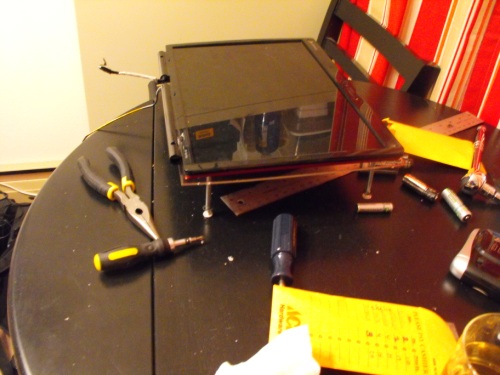
So, first, let’s tear that laptop apart:
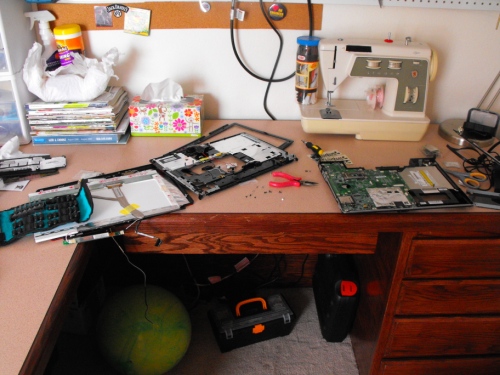
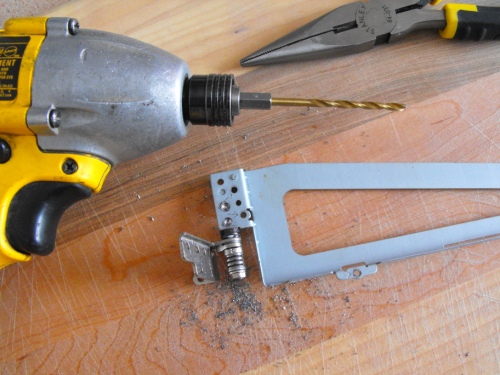
One of the problems with a laptop screen when you turn it around is the hinges are still hanging out of the bottom of the screen. This is unsightly, so we’ll go ahead and take them off:
Now that the ugly hinges are removed, we need something to mount the screen and motherboard on to. Fortunately, we all have girlfriends with spare plexiglass lying around, right?
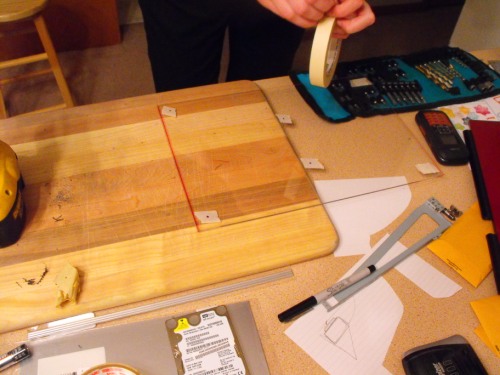
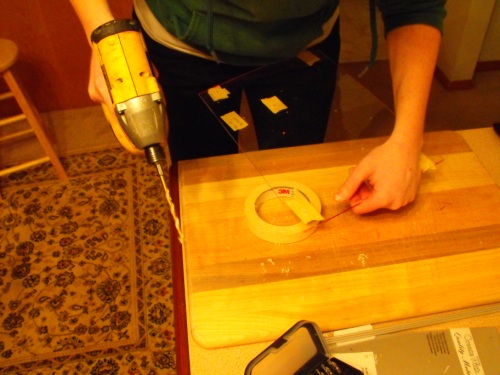
Now…in order to mount a motherboard and monitor, we need spacers and long screws. Drill some through the back of the laptop screen (you’ll need very low profile screw heads):
You’ll probably need some type of brace for the hard drive so it doesn’t randomly disconnect from the board and fall:
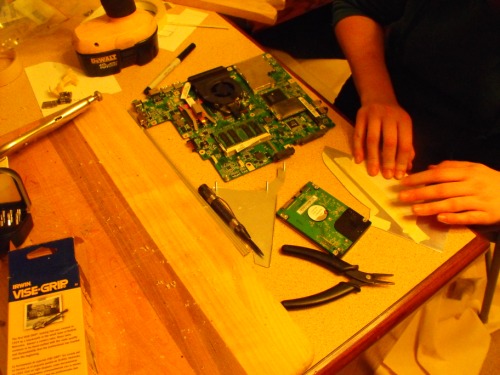
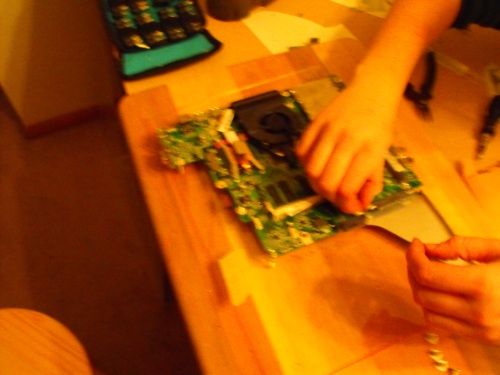
Now once you’ve finished finding all the points to put in risers for the board and attaching the hard drive mount, you should be basically done. So now turn it on:
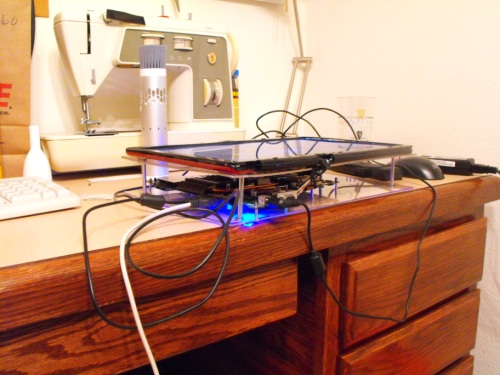
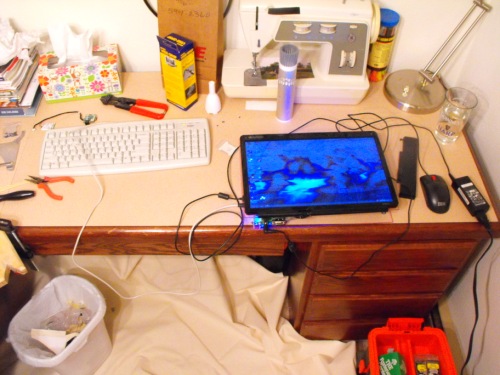
Once you’ve done some testing, you’ll need to mount it on the wall:
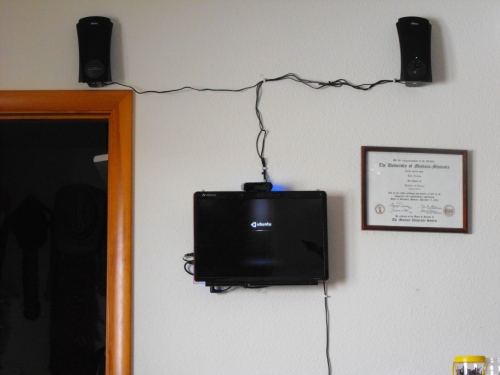
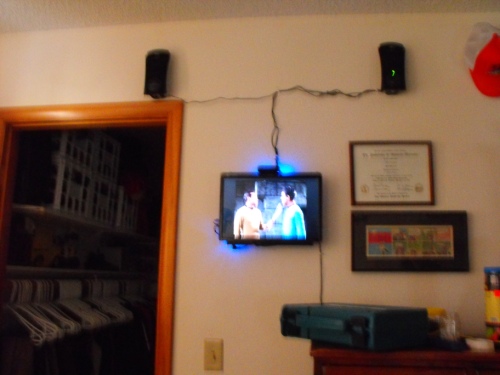
Then, just lay back and watch some Star Trek:
Edit:
So I realize that some additional technical information is in order…
Laptop:
- Intel Pentium® Dual-Core Mobile T2390 1.86GHz processor
- 3GB of 667MHz DDR2 SDRAM memory
- 250GB 5400RPM SATA hard drive
- 15.4" WXGA Screen
- USB-powered speakers
- HP MCE remote and reciever
OS:
- Ubuntu 9.10
- Boxee Beta 0.9.20
- lirc 0.8.6
- VNC
All in all, pretty easy…I guess.
Edit 2:
The screen shot of Star Trek is from the very first episode. Or, as Julia described it, the one where the lady kills people to eat their salt.
Edit the Third:
We’ve since changed things slightly. The speakers have switched position so that the volume knob is not positioned behind a chest (now it’s just really high up the wall). We also used some wire to hang the top of the laptop at a slight downward angle. Now it’s easier to see it when we’re actually watching it in bed.
A few last notes (1/21/2010):
I updated Ubuntu to 10.04 LTS (‘cause it’ll be more stable and get updates longer, I thought). This naturally broke everything. That is, X wouldn’t display properly, LIRC wasn’t recognizing our remote any more, etc.
I managed to get X back up, and LIRC was responding again, but our old method of running Boxee (wait until wireless is connected and then press a button on the remote mapped to starting a new instance of Boxee) stopped working. In order to fix this, I dug around online and found a python script someone had written to find the currently connected wireless network in Network Manager. A little bit of tweaking of the script and Boxee now auto-starts after a wireless connection is made. Pretty handy!
The script:
#!/usr/bin/python
#
# current-network.py -- By Andrew Farris
#
# This program is intended to return the current connected network name using network-manager's
# built in tool 'nm-tool'. This program simply slices out the currently connected network name,
# and prints it out.
#
from subprocess import call
import commands

wirelessName = ""

while True:
 #collect the output from 1 run of 'nm-tool'
 nmoutput = commands.getoutput("nm-tool")

 # to find the wireless section, find it's heading, which is...
 searcher = "Wireless Access Points (* = current AP)"

 # slice out the wireless section only (excluding the title above)
 slicedoutput = nmoutput[nmoutput.find(searcher)+len(searcher):]

 # trim off the beginning of the wireless section, down to the beginning of the default network
 trimmed_to_current = slicedoutput[slicedoutput.find("*")+1:]

 #print out the slice containing only the current AP
 wirelessName = trimmed_to_current[:trimmed_to_current.find(":")]
 if wirelessName == "MyWireless":
  call("/opt/boxee/Boxee")
  break
 else:
  print "Looking..."